For teachers

Sunday nights, back.

Marks go in once, in class, on your phone if you like. Notes stay yours. Reports draft themselves from what you already wrote, and sound like you.
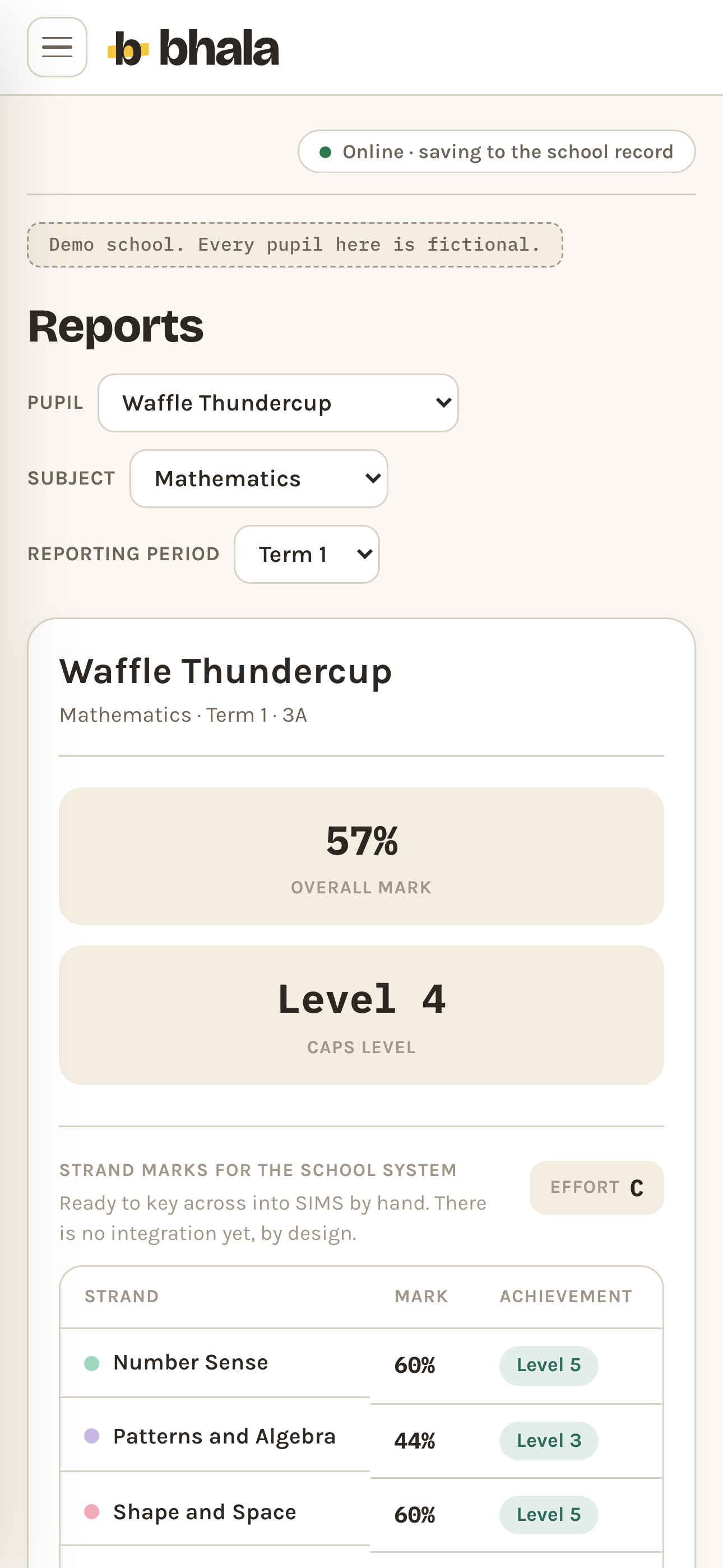
A report draft on a phone: pickers for the pupil, the subject and the reporting period, two tiles reading 57 per cent overall mark and CAPS Level 4, an effort grade, a note that the strand marks are ready to key across by hand, and a table of strands each with its mark and its CAPS level.
Reports Demo data
Mark Entry

The mark grid, the way you already think.

One row per pupil for the assessment you pick. Type the mark and it shows the percentage, the pupil's percentage on the previous assessment in that strand, and the change between the two. Absent is marked to catch up, never scored as zero.
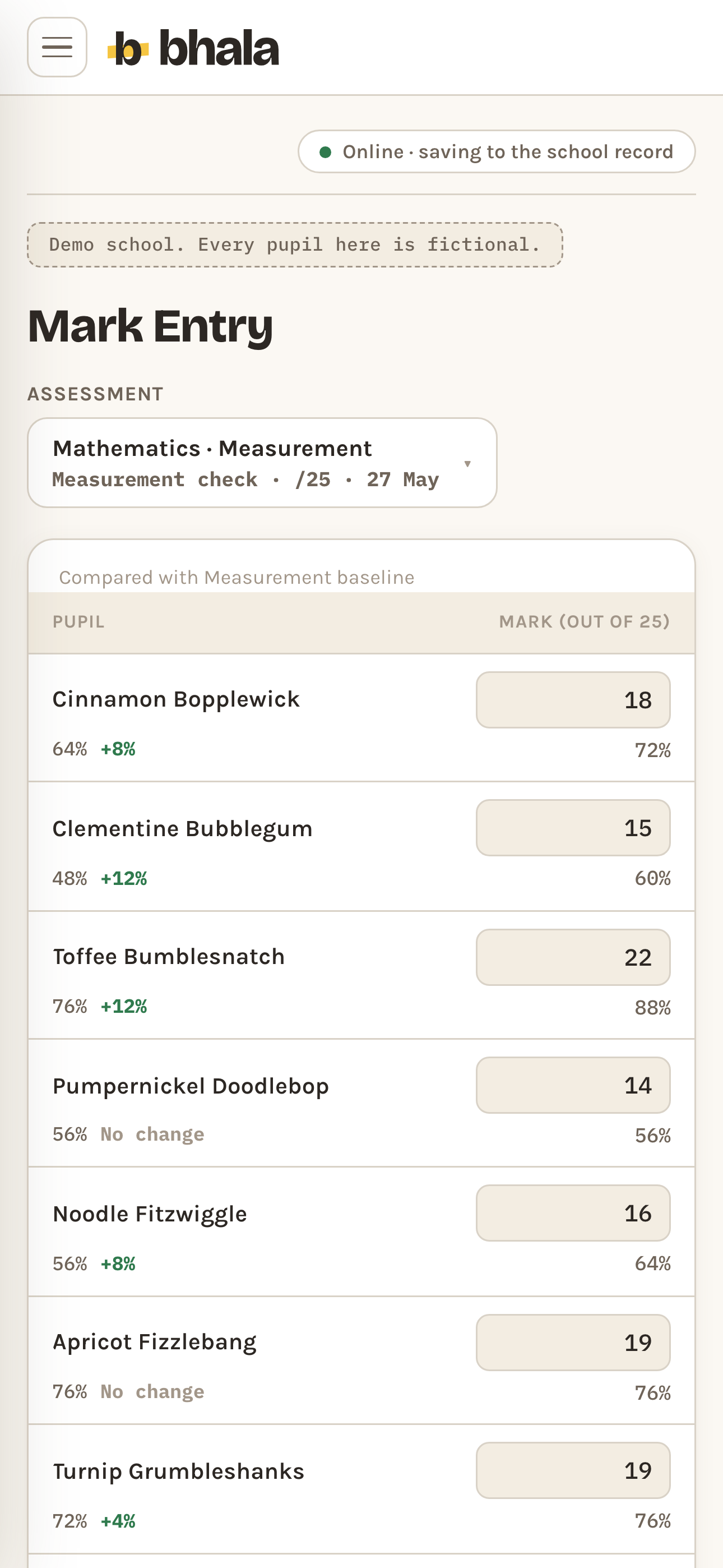
The Mark Entry grid on a phone for a Grade 3 mathematics assessment, headed "Compared with Measurement baseline": one row per pupil, the mark out of 25 typed into a box with the current percentage on the right and the pupil’s previous percentage and the change since it on the left, for example Cinnamon Bopplewick up 8 points to 72 per cent and Toffee Bumblesnatch up 12 points to 88 per cent.
Mark Entry Demo data
Home Learning

Eight weeks, one screen. Tap or type.

Pupils down the side, eight weeks across the top. Tap a task square to cycle it: handed in, late, missing. The spelling mark is typed beside it, out of ten, and is committed when you leave the field or press Enter rather than on every keystroke, because each entry is an append that stands on its own.
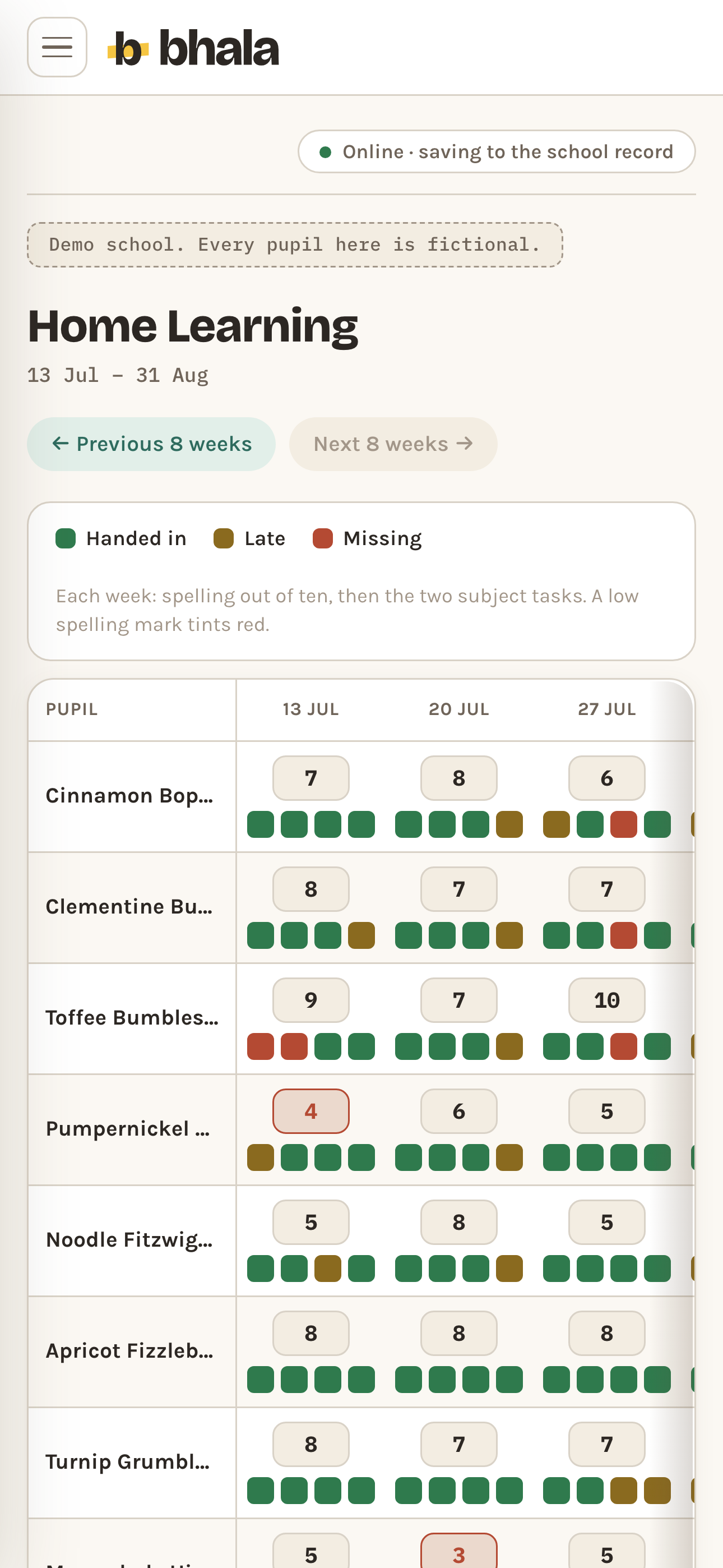
The Home Learning grid on a phone, 13 July to 31 August, under a key of handed in, late and missing: pupils down the side, weekly columns across the top, and every cell a spelling mark out of ten in a box with four small task squares under it. One low mark is ringed in red.
Home Learning Demo data
Quick Checks

Tap a square. Not yet, nearly, got it.

Pupils down the side, the skills you are teaching across the top. Tap a cell to cycle it, and the foot of each column shows how much of the class has that skill. Every tap is kept as what you saw that day, not as a correction of what you saw before.
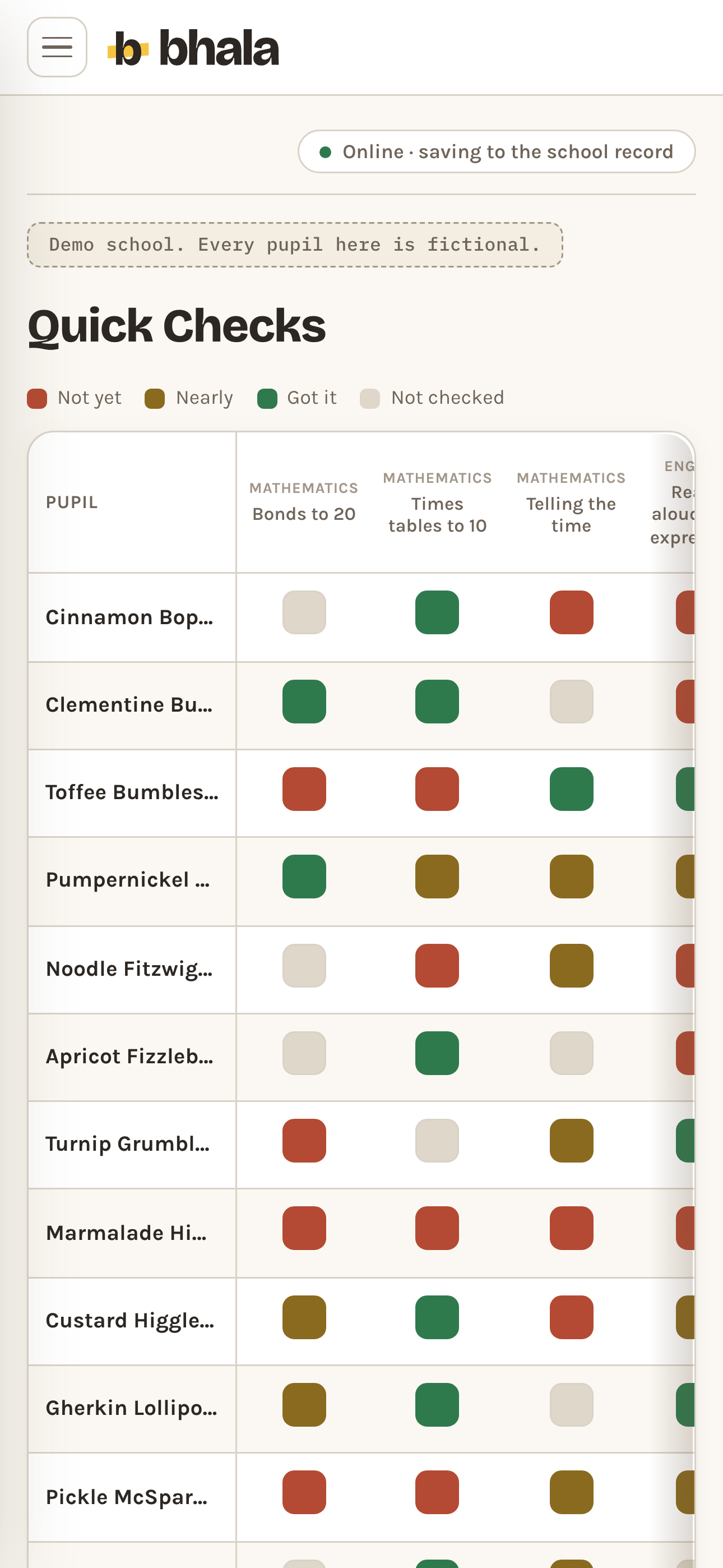
The Quick Checks grid on a phone under its key of not yet, nearly, got it and not checked: pupils down the side, named skills across the top such as bonds to 20 and telling the time, and every cell a single square in one of the four colours.
Quick Checks Demo data
Notes

Your notes about your own class are yours.

Notes you write about your own class stay yours alone, this year and every year after: no colleague and no future teacher can read them. Notes written about a pupil by staff who were not their class teacher are shared and follow the child. Nothing is ever edited by someone else, and nothing is deleted.
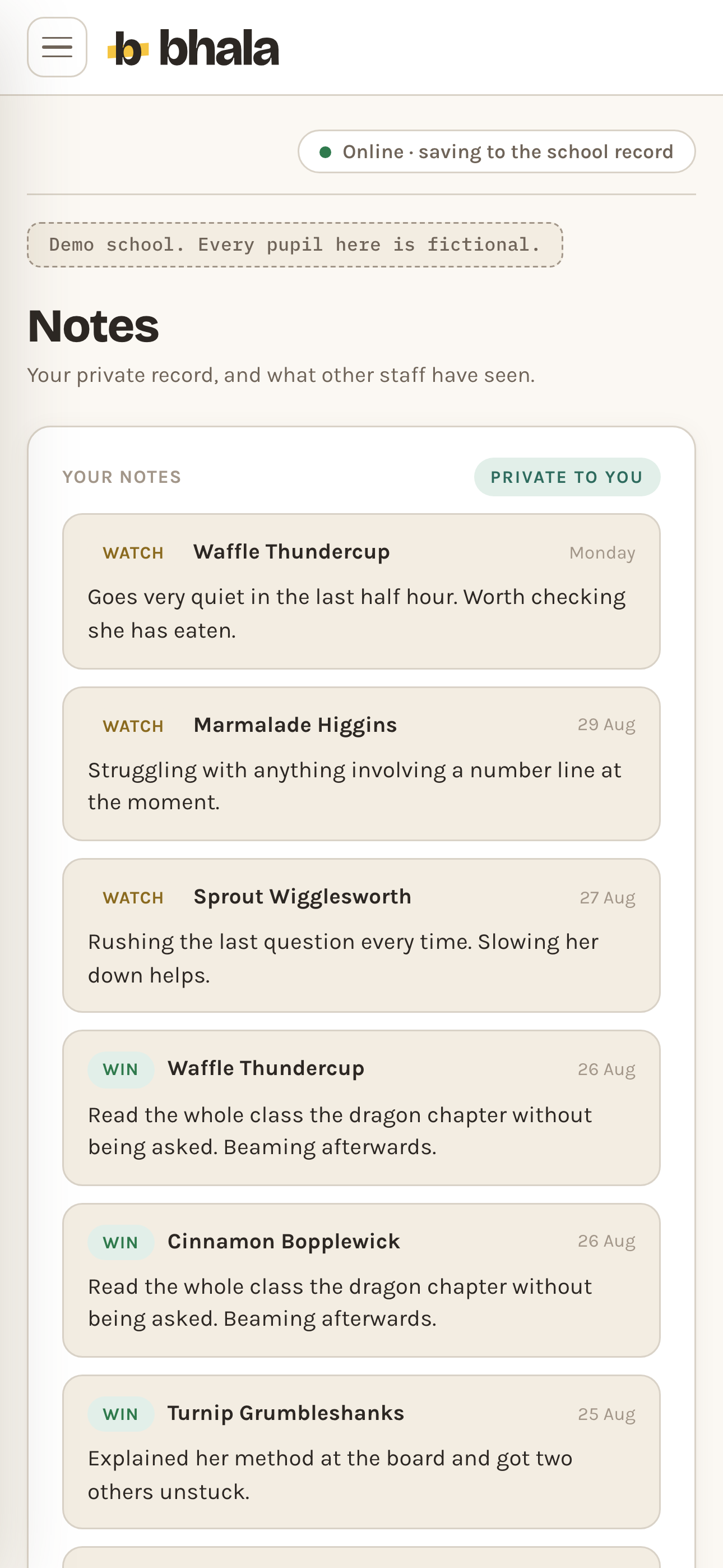
The Notes screen on a phone, headed your private record and what other staff have seen: the Your notes column, marked private to you, holding cards tagged win or watch, each naming a pupil, dated, and carrying one sentence in the teacher's own words.
Notes Demo data
Room to Improve

It shows you the pattern. What to do next is yours.

The six lowest strand averages for the class, and every pupil whose latest mark in a strand has dropped six points or more since the one before. Bhala surfaces; it never diagnoses.
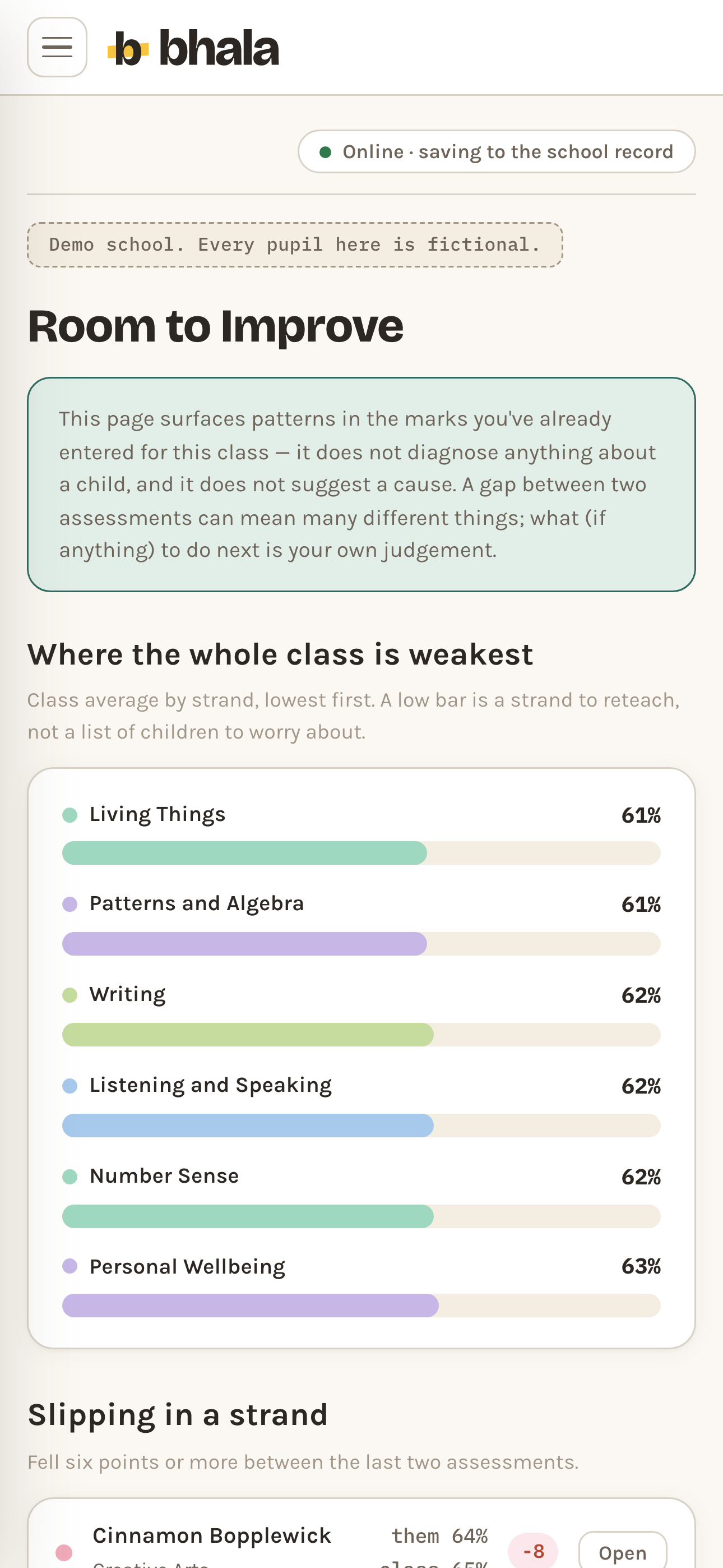
Room to Improve on a phone, opening with a note that the page surfaces patterns in the marks already entered, does not diagnose anything about a child and does not suggest a cause. Under it the six weakest strands for the class are drawn as labelled coloured bars with a percentage each, above the start of a slipping in a strand list.
Room to Improve Demo data
Parent Evening

One printed page. Everything to say, nothing you shouldn't.

Marks, progress and your note on a single sheet. Staff-only notes cannot reach it.
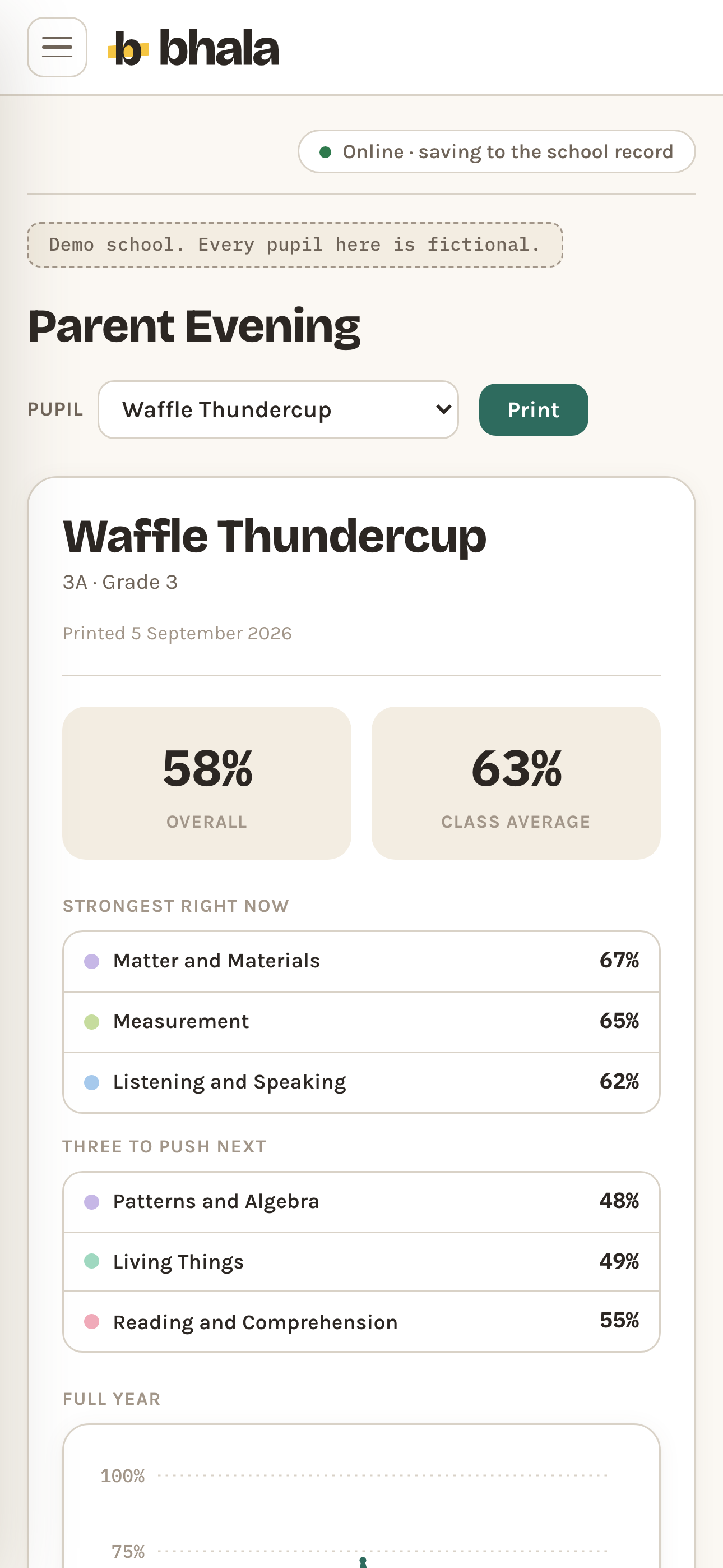
A parent evening sheet on a phone: the pupil's name, her class and the print date, two tiles reading 58 per cent overall and 63 per cent class average, a strongest right now list and a three to push next list with a percentage against each strand, and the top of the full year chart.
Parent Evening Demo data
Reports

Drafted from your words. Three buttons, that's all.

A report draft is assembled from your marks and notes in your school's phrasing. Rebuild it, shorten it, warm it. Nothing is generated about a child.

A report draft on a phone: pickers for the pupil, the subject and the reporting period, two tiles reading 57 per cent overall mark and CAPS Level 4, an effort grade, a note that the strand marks are ready to key across by hand, and a table of strands each with its mark and its CAPS level.
Reports Demo data
Offline

The signal drops. The marks stay.

Enter marks in the hall, the field or the bus. Bhala keeps them on the device and syncs when the signal returns, with the log intact.

Saved offline

Marks and notes are kept on the device while there is no signal, and go up when there is.

Mark entry and notes, offline

Just me

One class, your markbook

R129 per month, flat

Start with one class

Try the demo school.

No signup, nothing real. Tap anything.

Open the demo school